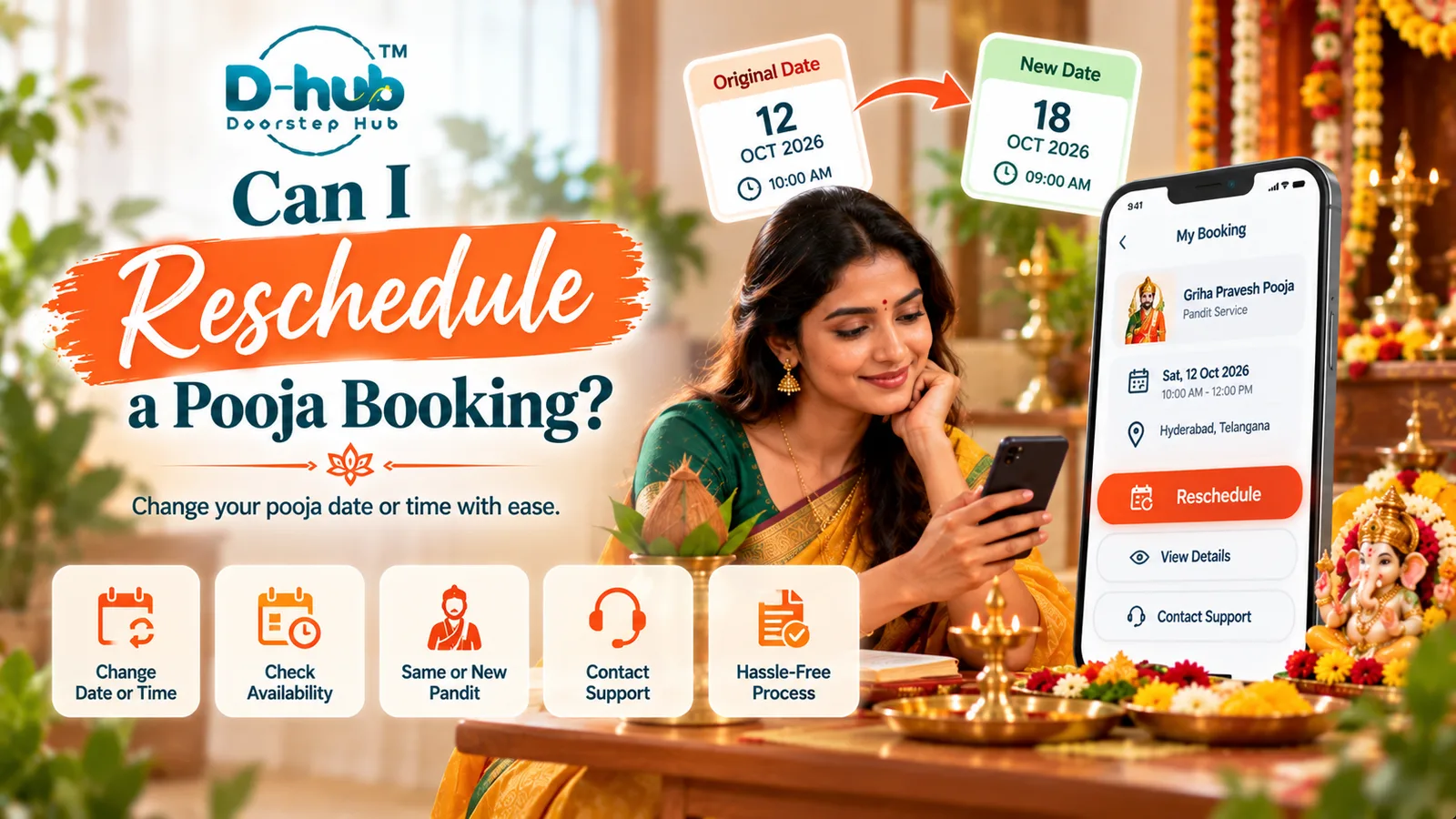
Plans for a pooja or religious ceremony can sometimes change because of family circumstances, venue availability, travel delays, changes to the preferred muhurat, personal commitments, or other unexpected situations. If you need to move your ceremony to another date or time, whether the booking can be rescheduled depends on factors such as the current booking status, Pandit availability, requested new date and time, service conditions, and applicable rescheduling terms. A Pandit who was available for your original ceremony may not necessarily be available for the new schedule, particularly during festivals, weekends, weddings, housewarming periods, or popular auspicious dates.
If you booked your pooja through Doorstep Hub, open your booking and check whether a rescheduling option is currently available. Where supported, select an alternative date or time and review the updated booking information carefully before confirming the change. Try to request changes as early as possible because availability may become more limited closer to the ceremony. If you cannot change the booking through your account or your preferred new schedule is unavailable, contact Doorstep Hub support for assistance. Rescheduling remains subject to service availability and the conditions applicable to your booking.
Why Might You Need to Reschedule a Pooja?
Religious ceremonies often involve coordination between the family, Pandit, venue, and other arrangements.
A schedule may need to change because of:
- Change in family plans
- Revised ceremony date
- Change in muhurat
- Venue-related issues
- Travel delays
- Personal emergencies
- Availability changes
- Wedding schedule changes
- Housewarming delays
- Other unexpected circumstances
If you know that the original schedule will not work, check your rescheduling options as soon as possible.
1. Open Your Existing Pooja Booking
Start by opening the booking associated with the ceremony you want to change.
Review the current:
- Pooja or ceremony
- Booking status
- Scheduled date
- Scheduled time
- Ceremony location
- Pandit or service information
- Other booking details
Make sure you are modifying the correct booking.
2. Check Whether Rescheduling Is Available
The ability to reschedule can depend on the booking status and applicable service conditions.
If a reschedule or change-booking option is available, follow the instructions provided.
Do not assume that every booking can automatically be moved to another date or time.
3. Choose a New Date and Time
Where rescheduling is supported, select from the available alternatives.
Your original Pandit or preferred time may not be available for the new date.
Availability can depend on:
- Selected pooja
- New ceremony date
- New time
- Muhurat
- Location
- Pandit availability
- Language preference
- Other ceremony requirements
Review the available options carefully.
4. Reschedule as Early as Possible
If your plans change, avoid waiting until shortly before the ceremony to request a new schedule.
Earlier changes may provide more flexibility when looking for another available date or time.
This can be particularly important for:
- Weddings
- Griha Pravesh
- Festival poojas
- Satyanarayan Pooja
- Marriage-related rituals
- Popular auspicious dates
- Ceremonies requiring a specific muhurat
Availability may become more limited as the ceremony date approaches.
5. Check the New Muhurat Carefully
If your ceremony needs to take place during a particular muhurat, make sure the new booking schedule matches your requirement.
Changing only the date without checking the required ceremony time may create problems with your other arrangements.
Where applicable, confirm your revised muhurat before completing the rescheduling process.
6. Check Pandit Availability Again
Rescheduling may require availability to be checked again.
The professional assigned or available for your original booking may already have another commitment on the new date.
If you also require a specific language or particular ceremony experience, mention or review those requirements when making the change.
7. Review Your Language Preference
If your original booking included a preferred Pandit language, verify whether the same requirement can be accommodated for the new schedule.
Depending on availability, this might include preferences such as:
- Telugu
- Hindi
- Tamil
- Kannada
- Malayalam
- English
- Sanskrit
- Other supported languages
Language availability can change when the ceremony date or time changes.
8. Recheck Pooja Materials and Other Arrangements
A date change may also affect other ceremony preparations.
After rescheduling, review:
- Pooja samagri arrangements
- Fresh flowers and fruits
- Ceremony venue
- Family attendance
- Travel arrangements
- Additional rituals
- Other scheduled services
If materials were arranged specifically for the original date, determine whether any changes are necessary.
9. Review the Updated Booking Before Confirming
Before confirming the rescheduled ceremony, check:
- New date
- New time or muhurat
- Ceremony location
- Selected pooja
- Pandit availability
- Language preference
- Material arrangements
- Special requirements
- Applicable booking conditions
Make sure the revised booking reflects your current requirements.
10. Contact Support If You Cannot Reschedule Online
If your booking does not show a rescheduling option or you experience difficulty making the change, contact Doorstep Hub support for assistance.
Keep your booking information available and explain:
- Your existing ceremony date
- Why you need a schedule change
- Preferred new date
- Preferred new time or muhurat
- Any important language or ceremony requirements
Support can help you understand the available options for the booking.
What If My Preferred New Date Is Unavailable?
Your preferred replacement date or time may not always be available.
In that situation, check whether another suitable date or time is available. If your ceremony has a strict muhurat or fixed family requirement, consider those constraints before accepting an alternative schedule.
Do not assume that changing the date automatically preserves the same Pandit, language preference, time slot, or other arrangements.
Will Rescheduling Change My Pandit?
It may, depending on availability.
A Pandit available for the original booking may not be available for the revised date or time. Where relevant, review the updated professional or service information before confirming the change.
If a particular requirement is important to you, communicate it during the rescheduling process.
Should I Cancel or Reschedule My Pooja?
If you still intend to perform the same ceremony but need a different date or time, check whether rescheduling is available before considering cancellation.
Cancellation and rescheduling may have different conditions depending on the booking.
Review the applicable terms shown for your service before making changes.
Reschedule Your Pooja Booking with Doorstep Hub
If your ceremony plans change after booking through Doorstep Hub, open your booking and check the available rescheduling options.
Where supported, choose an alternative date or time and carefully review the revised Pandit availability, muhurat, language preference, ceremony requirements, pooja materials, and other arrangements before confirmation.
If you cannot make the change through your account, contact Doorstep Hub support for assistance with the available options.
Need Help with Your Pooja Booking?
📞 Helpline: 8886688666
🌐 Website: doorstephub.com
📲 Doorstep Hub App: Open Doorstep Hub App
If you know that your ceremony schedule needs to change, request the modification as early as possible. Rescheduling remains subject to booking conditions and service availability.
Frequently Asked Questions
Common troubleshooting questions answered by our specialists
Was this article helpful?
Your feedback helps us improve our repair guides and service tips.