How to Create a Clear and Accurate Buy & Sell Listing
A good Buy & Sell listing should give buyers enough information to understand exactly what you are offering. Clear titles, honest descriptions, genuine photographs, and accurate product details can help reduce unnecessary questions and make the selling process smoother.
When creating a listing on Doorstep Hub Buy & Sell, focus on providing useful and realistic information about the actual item.
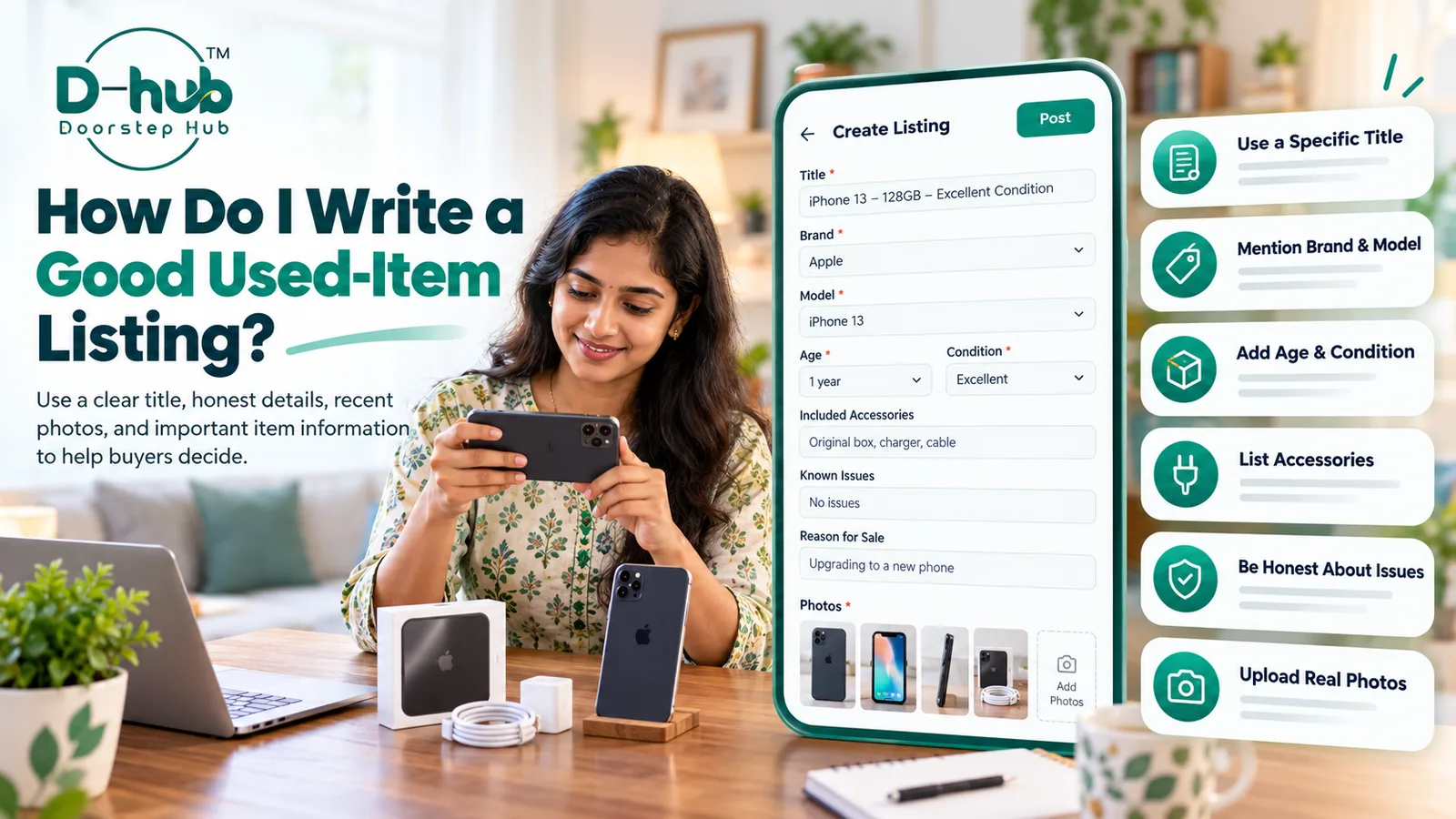
1. Use a Specific and Clear Title
Your listing title should clearly identify the item you want to sell.
Whenever relevant, include details such as:
- Product name
- Brand
- Model
- Important specification
- Item condition
For example, instead of writing a title such as “Excellent Phone for Sale”, use a more specific title that identifies the exact product.
Avoid exaggerated words, misleading claims, or information that does not accurately describe the item.
A clear title helps buyers quickly understand what you are selling.
2. Mention the Brand and Model
If the item has a recognizable brand or model number, include this information in your listing.
Brand and model details can help buyers:
- Identify the exact product
- Compare specifications
- Check compatibility
- Understand the item's market value
- Decide whether the product matches their requirements
Make sure the brand and model information matches the actual item.
3. Provide the Age of the Item
Let buyers know approximately how old the item is when this information is relevant.
You may mention:
- Purchase year
- Approximate usage period
- How long you have owned the item
The age of the product can help buyers better understand its current condition and expected value.
If you are unsure of the exact purchase date, avoid guessing. An approximate period may be more appropriate.
4. Describe the Actual Condition
Clearly explain the current condition of the item.
Mention whether it is:
- New
- Like New
- Good
- Fair
- Used
Also describe any visible signs of use, scratches, dents, fading, damaged parts, or other condition-related details.
Do not describe a used or damaged item as new.
Honest condition information helps buyers know what to expect before contacting you.
5. List the Accessories Included
If you are including accessories with the item, mention them clearly.
Depending on the product, this could include:
- Original box
- Charger
- Remote control
- Cables
- Carrying case
- Manuals
- Additional parts
- Original accessories
- Other compatible accessories
Clearly stating what is included can prevent confusion later.
If an accessory that normally comes with the product is missing, you can mention that as well.
6. Mention Any Known Issues
If the item has a known problem, defect, repair history, or damaged component, describe it accurately.
For example, you may need to mention:
- Scratches or dents
- Battery issues
- Display problems
- Missing parts
- Loose connections
- Non-working buttons
- Previously repaired components
- Other functional or cosmetic problems
Do not hide significant issues.
Providing this information helps buyers make an informed decision and reduces misunderstandings.
7. Add the Reason for Sale When Relevant
You may also mention why you are selling the item if it helps buyers understand the listing.
Common reasons may include:
- Upgrading to a newer model
- Item no longer required
- Moving to another location
- Duplicate product
- Limited usage
Providing a reason for sale is optional, but it can add useful context when appropriate.
Keep the explanation simple and accurate.
8. Upload Recent Photos of the Actual Item
Use genuine and recent photographs of the item you are selling.
Avoid using stock images, catalogue photos, or unrelated images when genuine product photographs are available.
For Better Listing Photos
- Use good lighting.
- Keep the item clearly visible.
- Take photos from several angles.
- Show the front, back, and sides where relevant.
- Photograph accessories included with the item.
- Show visible scratches or damage honestly.
- Avoid excessive image editing or filters.
Recent photographs help buyers understand the item's actual appearance and condition.
9. Keep Your Description Clear and Easy to Understand
Your listing description should be informative without being unnecessarily complicated.
Use simple language and organize important details clearly.
Before publishing, check whether your description answers basic buyer questions such as:
- What is the item?
- Which brand and model is it?
- How old is it?
- What condition is it in?
- What accessories are included?
- Are there any known problems?
- Why is it being sold?
- Do the photographs show the actual item?
A complete description can help reduce repeated enquiries.
Why Accurate Listings Matter
Clear and honest listings help buyers make better decisions before contacting a seller.
Accurate information can help:
- Reduce unnecessary enquiries
- Set realistic buyer expectations
- Avoid misunderstandings
- Make product comparisons easier
- Improve communication between buyers and sellers
- Create a smoother Buy & Sell experience
Always review your listing before publishing and make sure the information accurately represents the item.
Create Better Listings with Doorstep Hub Buy & Sell
When selling an item through Doorstep Hub Buy & Sell, provide a specific title, complete product details, honest condition information, and genuine recent photographs.
A clear listing makes it easier for interested buyers to understand exactly what you are offering.
Need Help with Doorstep Hub Buy & Sell?
📞 Helpline: 8886688666
🌐 Website: doorstephub.com
📲 Download the Doorstep Hub App
Create clear, accurate, and genuine listings to help buyers make informed decisions.
Frequently Asked Questions
Common troubleshooting questions answered by our specialists
Was this article helpful?
Your feedback helps us improve our repair guides and service tips.